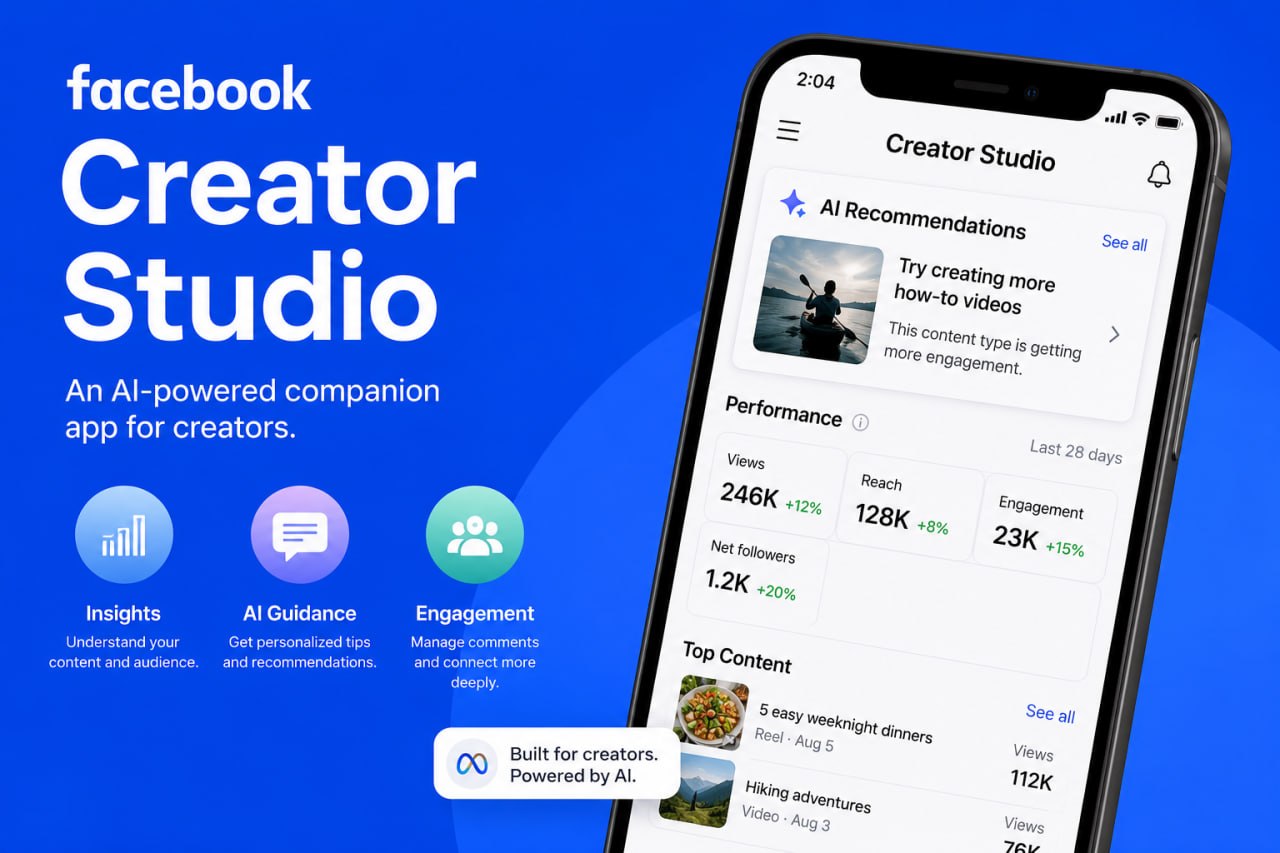
Yooo, Facebook Creator Studio is looking like way more than another analytics app.
At first you see the usual stuff.
Views. Reach. Engagement. Followers.
But the important part is the AI behind it.
CREATOR STUDIO LEARNS FROM YOUR ACCOUNT
Facebook says Creator Studio uses your specific content, audience and niche to give you personalized insights.
So instead of just seeing that a video did good, you can start understanding WHY it did good.
What worked?
What should you keep doing?
What should you try differently?
That’s where this becomes useful.
USE THE AI. DON’T JUST WATCH THE NUMBERS.
Facebook says one creator used Creator Studio to discover that his DIY games content was working.
He leaned into that information and reported his earnings increased 144% during his first seven days using it that way.
Another creator tried a format Creator Studio surfaced from her niche and gained 4,000 followers from one video.
That doesn’t mean Creator Studio magically makes you grow.
They actually USED the information.
That’s the point.
IT CAN HELP WITH COMMENTS TOO
Creator Studio can surface comments worth responding to and use AI to draft replies in your voice.
You still approve what gets posted.
That could make engaging with thousands of people way easier without sitting there replying all day.
USE THIS WISELY
Don’t just open Creator Studio and check your views.
Ask questions.
Study what worked.
Figure out what your audience responds to.
Then take that information and make YOUR next move.
AI shouldn’t replace your creativity.
Use it to understand your own content better.
Facebook Creator Studio is now available to creators using iOS in the U.S. and Canada.
If you have access, use it.
Your analytics are already telling you something.
Now you have AI helping you understand what they’re saying.
Source: Facebook for Creators
— King Coop